

A cell phone is a must for individuals with dementia. It enhances safety, comfort, and helps them stay connected during confusion or stress. Yet, many older adults are overwhelmed by modern smartphones. The small icons, complex menus, and loud notifications make daily use frustrating.
The best cell phones for dementia are easy to use. They don’t have complicated features or too many buttons. Basically, this allows someone to feel less isolated, get help in an emergency, and reduce confusion.
Some phones are designed specifically for people with memory loss. Others have simple features that seniors can understand.
Our guide explains the features you’re looking for and suggests some great options.
| Key Takeaway | Why It Matters |
|---|---|
| Simple Phones Reduce Confusion | Easy navigation and fewer features help seniors feel less overwhelmed. |
| Large Buttons Improve Accessibility | Big buttons and text make dialing and reading easier for seniors with vision issues. |
| Emergency Features Increase Safety | SOS buttons and GPS tracking help families respond quickly during emergencies. |
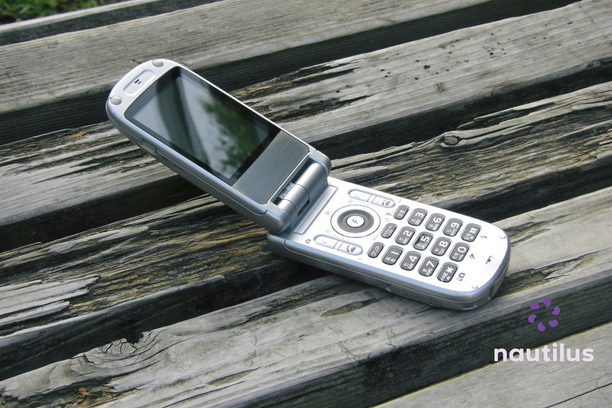
| Flip Phones Feel Familiar | Traditional phone designs may feel more comfortable for seniors with memory loss. |
| Photo Contacts Make Calling Easier | Seniors can call loved ones by tapping a familiar picture instead of remembering numbers. |
| Teaching Requires Patience | Simple instructions and repetition help older adults build confidence using phones. |
| Connection Improves Emotional Well-Being | Regular phone calls help seniors feel calmer, supported, and less isolated. |
What Features Matter Most in a Phone for Dementia?
Families should understand which features matter most in phones for dementia. Some seniors prefer flip phones, while others enjoy smartphones.
Large Buttons and Large Text
The small screen and tiny buttons make dialing more difficult. Cell phones should come with large numbers so they are easier to use and less confusing. This is also helpful for seniors who have vision problems.
Simple Menus
Regular phones have a lot of apps and settings. This can quickly become confusing for a person with dementia. For people with memory challenges, choose an easy home screen, clear labels, fewer options,and simple navigation. Fewer things means less stress.
One-Touch Calling
In some phones, the person can call a family member by tapping their picture on the screen. This is especially helpful for someone with memory loss.
Loud and Clear Sound
Conversations can feel tiring for older adults because of hearing problems. So a good phone should have adjustable volume and clear call quality.
Emergency Buttons
Some phones have SOS emergency buttons, GPS tracking, and emergency contact alerts. This can give families peace of mind.
Long Battery Life
It is common for individuals with dementia to forget to charge their phones. Look for a phone with long battery life and a simple charging dock to keep the phone available.
| Phone | Best Features | Best For | Why Families Like It |
|---|---|---|---|
| RAZ Memory Cell Phone | Photo contacts, simplified screen, remote family management | Individuals with moderate dementia or memory loss | Extremely simple interface reduces frustration and confusion. |
| Jitterbug Smart4 | Large icons, voice typing, video calling, health features | People in early stages of dementia | Offers modern smartphone features with easier navigation. |
| Jitterbug Flip2 | Large buttons, loud speaker, bright screen, emergency button | Seniors who prefer traditional flip phones | Familiar design feels comfortable and less overwhelming. |
| RAZ SmartVision 3 | Voice assistance, large text, high-contrast display, physical buttons | Seniors with both memory and vision challenges | Accessibility tools improve ease of use and confidence. |
| Snapfon ez4G | Big buttons, SOS button, GPS tracking, loud sound | Seniors needing simple communication and safety features | Combines easy calling with emergency support features. |
| IRIS Easy Flip | Affordable pricing, large buttons, simple navigation | Mild dementia and budget-conscious families | Provides essential senior-friendly features at a lower cost. |
Best Cell Phones for Dementia
RAZ Memory Cell Phone
This cell phone is especially designed for people living with dementia or Alzheimer’s disease. It is easy to use and doesn’t have complicated menus. The screen shows large photo contacts. Your loved one can tap a picture and call that family member. This is especially important because they don’t need to remember names or search through contacts
Families can also manage the phone remotely. They can access contacts or settings without touching the device physically.
For example, a man in his late 70s kept accidentally opening random apps. This caused frustration. After switching to the RAZ Memory Cell Phone, he only saw photos of his children and the caregiver. He could call them with a single tap, and his anxiety around using the phone improved.
Jitterbug Smart4
The Jitterbug Smart4 is a smartphone that has simple features. It is ideal for those who want a modern phone without the complexity. The interface is designed for seniors. It comes with large icons, simple lists, easy navigation, and voice typing. It has health and safety features too.
Plus, there is an option for video calling. Families can keep in touch with their loved ones easily. Plus, there is access to emergency support features.
Overall, this phone is for people in earlier stages of dementia. They still use their smartphone but feel overwhelmed with regular devices.
Jitterbug Flip2
Flip phones feel familiar, which is why many seniors prefer them. The Jitterbug Flip2 is easy to use and comes with useful safety tools.
It has large buttons, a bright screen, a simple menu, a loudspeaker, and an emergency button.
Ultimately, this phone is less confusing than smartphones. It has the familiar flip design and is easy to use.
For example, an older woman with mild dementia struggled with touchscreen phones. She accidentally pressed the wrong things. A flip phone felt more natural. It worked the same as the phones she had used for years.
RAZ SmartVision 3
The smartphone has accessibility tools that help seniors with both memory and vision difficulties. It includes useful features like:
- Voice assistance
- Simplified navigation
- Large text
- High-contrast display
- Physical buttons alongside touchscreen controls
The voice-guided support and accessibility features make it ideal for seniors who need extra assistance.
Snapfon ez4G
These phones are ideal for those who may need calls and safety support. It is practical and easy to learn. The comfortable physical buttons and clear sound make it easy to use.
It has everything that seniors need:
- Big buttons
- Easy menus
- SOS emergency button
- GPS location
- Loud sound
Long story short, it is ideal for seniors who find smartphones confusing and want something simpler.
IRIS Easy Flip
Many families want an affordable phone, as it is used only for basic functions. The IRIS Easy Flip is the best budget option with senior-friendly features. With clear display, large buttons, and easy navigation, it provides excellent value for the price. Plus, it has the familiar flip design.
But it may not have advanced safety features. So it would be an ideal option for mild dementia.
Smartphone or Flip Phone: Which Is Better?
The best cell phones for dementia list has both smartphones and flip phones. But what is a better choice for your loved one? There is no single answer. It depends on the needs and preferences.
Some people enjoy smartphones. They can have photos, videos, video calls, and touchscreens. This may be a better choice for those with mild dementia.
Still, a familiar phone may work better to avoid confusion. Flip phones remind seniors of the phones they used in the past, so they may get used to them quicker. So they work better for individuals with moderate or advanced dementia.
Ultimately, the best phone is the one the person finds comfortable using.
Teaching Older Adults With Dementia to Use Cell Phones
Learning new things may be difficult for seniors, especially for those who have dementia. Even a simple phone may seem confusing. But remember, they need time and patience to figure it out.
Keep Instructions Simple
Too much information at once can be overwhelming. Instead of explaining everything, focus on one feature at a time.
For example, start with how to answer a call. Give them time to understand this before proceeding to teach them how to call. Then, teach them how to charge the phone.
It is important to share short and clear instructions. Also, take time to practice the same steps repeatedly.
Use Photo Contacts
Dementia friendly phones have photo contacts. This is one of the most useful tools. Instead of remembering names and numbers, the person taps a familiar face to make a call.
Reduce Distractions on the Phone
A cluttered screen can create confusion. So you want to remove all the apps, pop-ups, and notifications that aren’t necessary. A clean interface helps them focus on what they need. Remove unused apps, games, extra widgets, social media notifications, and complex settings.
Write Down Simple Instructions
Sometimes, seniors need reminders. A small note beside the phone can help. Use short sentences and large handwriting. Color stickers may also work well to distinguish different buttons.
Stay Calm During Mistakes
Mistakes are normal. A person with dementia may press the wrong button, forget steps, or quickly become frustrated. Correcting them harshly increases anxiety, and they may end up being hesitant to use the phone. Instead, go with calm instructions. If the person becomes overwhelmed, take a break and start again later.
Focus on Confidence
The phone is a tool that enhances connection and safety for seniors. They don’t need to use it perfectly. For one family, the father learned only to answer calls. He never learned dialing or texting. But hearing familiar voices every day made him feel calmer.
Staying Connected Matters
Living with dementia can feel isolating. Communication helps people feel safer and calmer. They can stay connected with the people they love. These phone calls bring comfort and reassurance. Hearing a familiar voice can help them feel calmer during a confusing moment.
For many seniors, regular calls become part of their everyday routine. They can call family members, friends, or their caregiver.
But also, phones allow families to stay involved. Even if they live out of state. A daughter can check in on her lunch break. A grandson can share good news. And a caregiver can confirm that everything is okay.
Final Thoughts
The best cell phones for dementia are easy to use. They have simple menus, large buttons, and adjustable volume. Some models may also have safety features like an SOS button or GPS tracking. The final choice depends on your needs.
| What is the best type of phone for someone with dementia? | The best phone is one that feels simple and comfortable to use, whether it is a flip phone or a simplified smartphone. |
| Why are large buttons important? | Large buttons and text make it easier for seniors with memory or vision difficulties to navigate the phone. |
| Are flip phones better for dementia? | Flip phones may feel more familiar and less confusing, especially for seniors with moderate or advanced dementia. |
| What safety features should families look for? | Helpful features include SOS emergency buttons, GPS tracking, loud sound, and one-touch calling. |
| How can families teach seniors to use a phone? | Families should use simple instructions, practice repeatedly, and focus on one feature at a time. |
| Why are photo contacts helpful? | Photo contacts allow seniors to call loved ones by tapping a familiar face instead of remembering names or numbers. |
| Can smartphones still work for people with dementia? | Yes. Simplified smartphones with large icons and easy navigation may work well for people in earlier stages of dementia. |